 elepay
URL Scheme
iOS / Android SDK用URL Schemeの取得
elepay管理画面からログインしてください。
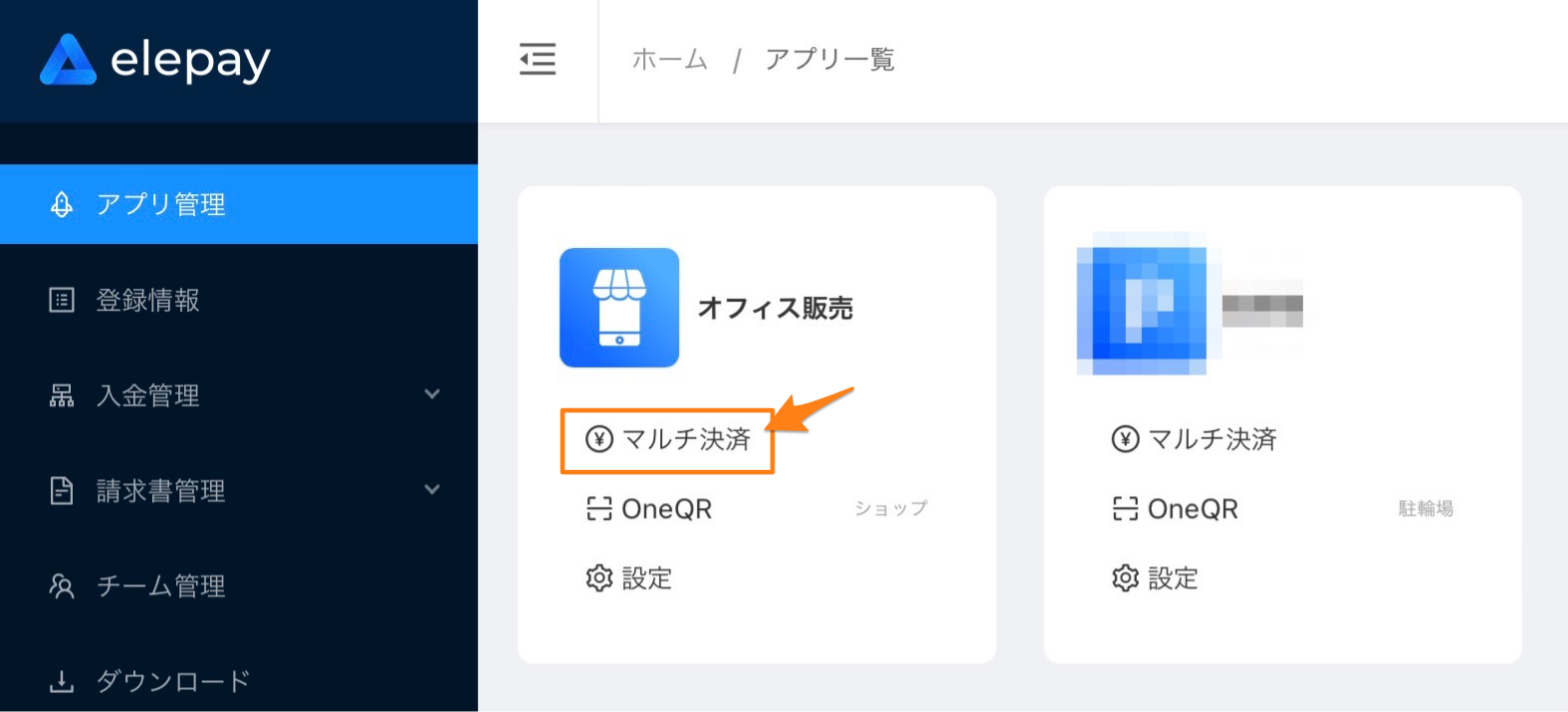
ログイン後、**「マルチ決済」→「開発設定」→「アプリ設定」**の順番でお進みください(以下の画像をご参照ください)。
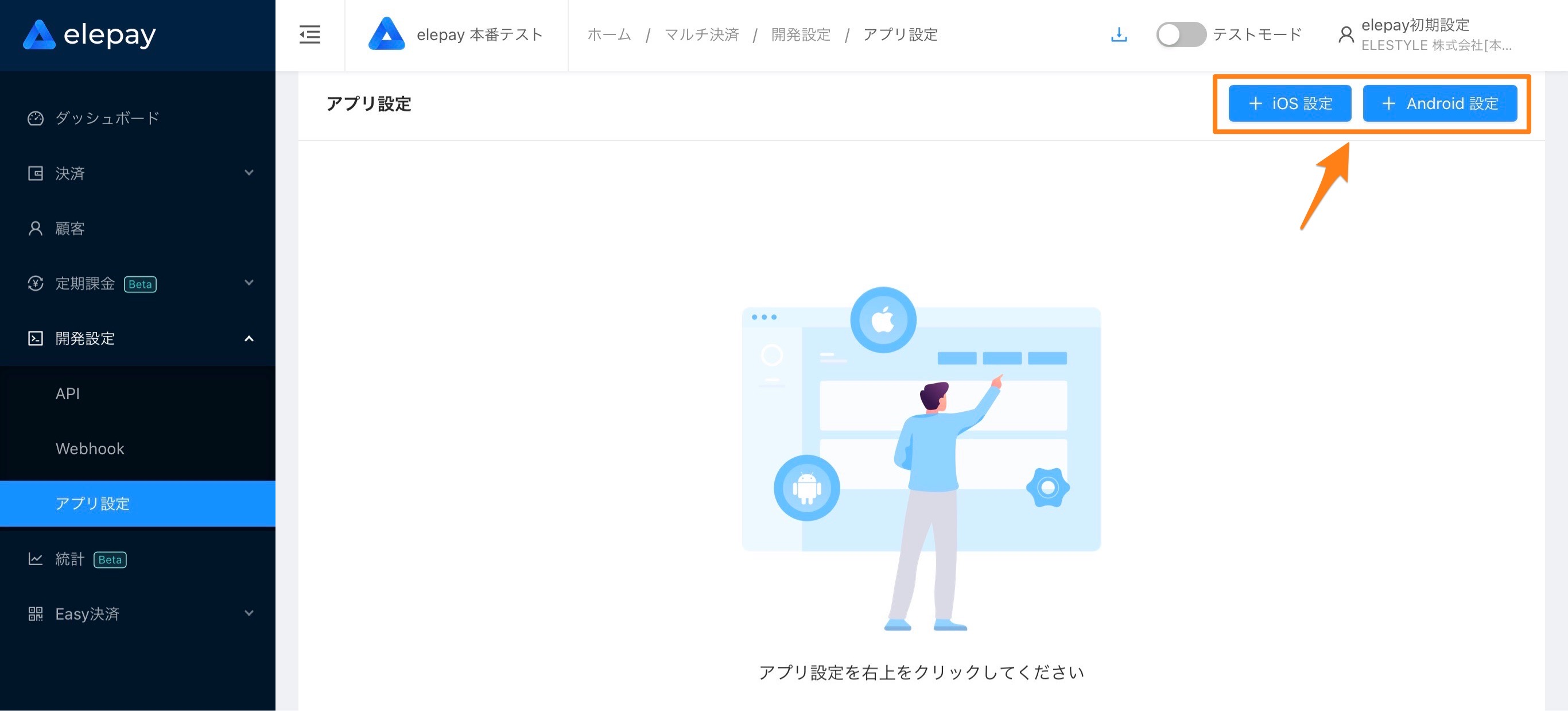
アプリ設定画面にて、アプリの設定を新規追加してください。追加する際に本番アプリのBundle ID(iOSアプリの場合)とPackage Name(Androidアプリの場合)が必要になります。
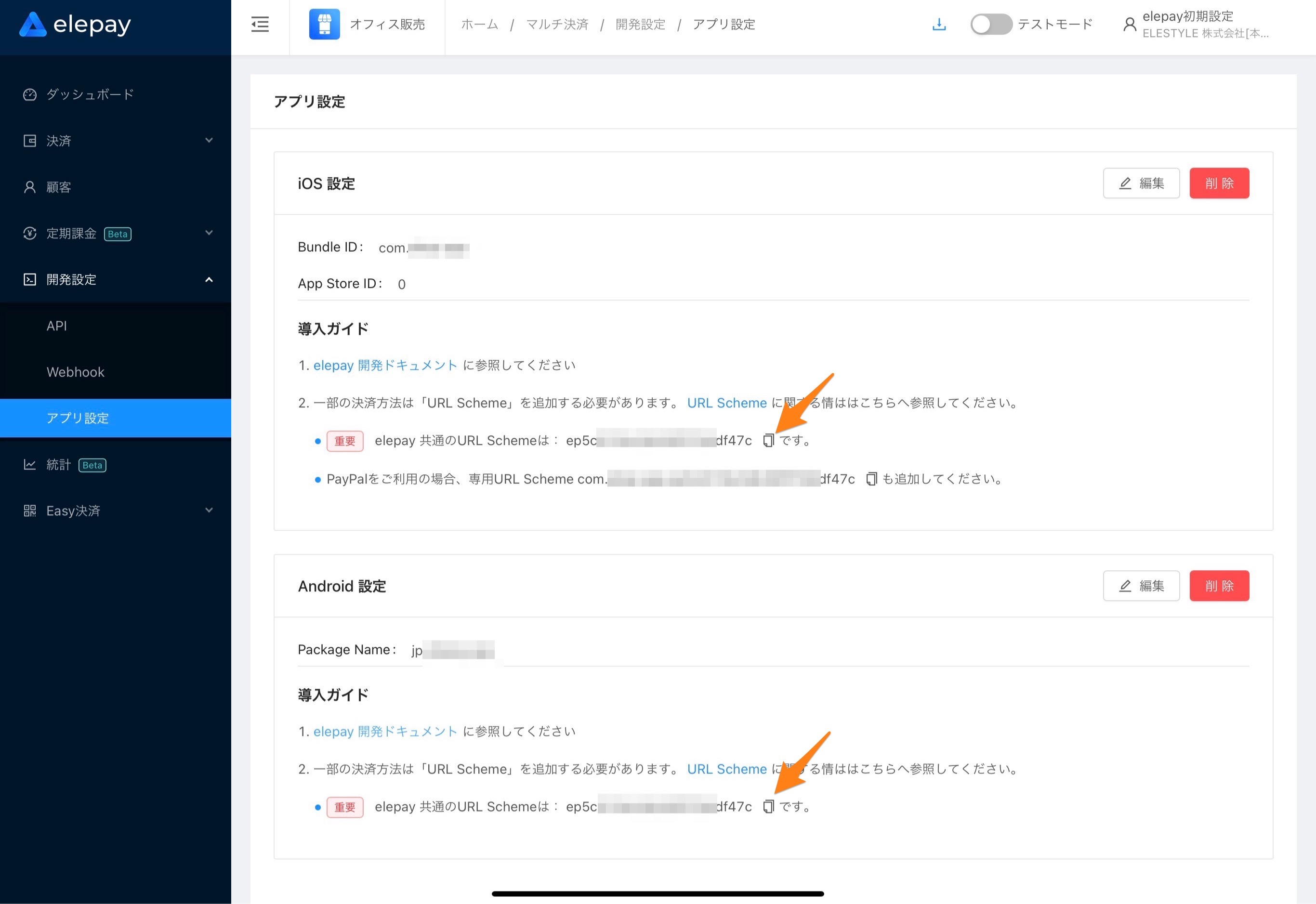
アプリの設定を追加しましたら、画面上に「導入ガイド」が表示され、URL Schemeがご確認できます。
最終更新日