 elepay
顧客作成処理
elepay の Customer 機能を利用して顧客を作成することで、継続的に課金を行ったり、登録されている支払方法を使って支払いを行ったりできます。 elepay の Customer 機能は Client SDK と API の両方を利用します。
顧客作成の流れのイメージ
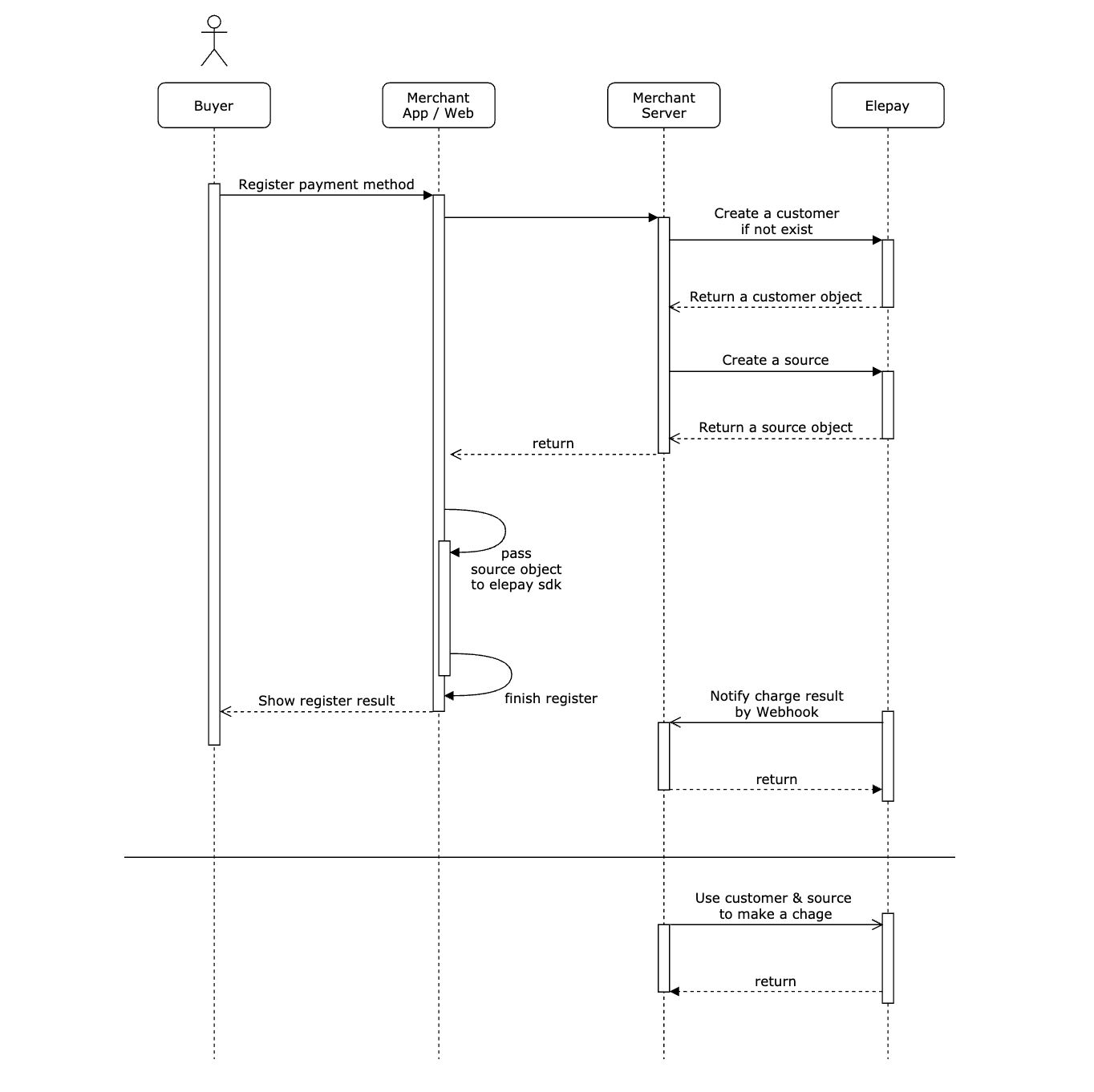
API を利用して顧客作成
1. 支払方法を登録
利用者はモバイルアプリかウェブで支払方法登録を行います。
2. 顧客の作成
お客様のサーバー側の処理が API の Customer作成 機能を呼び出し、利用者とリンクする顧客を作成します。複数支払方法を登録する場合、既存の顧客を利用してください。
3. Source オブジェクトの新規生成
お客様のサーバー側の処理が API の Source作成 機能を呼び出し、Source オブジェクトを作成します。
4. Source オブジェクト
elepay サーバー戻した Source オブジェクトをクライアント側の Client SDK に渡します。
5. 登録(オーソリ)処理
クライアント側の Client SDK は、Source オブジェクトを使って登録処理を行います。
6. 登録(オーソリ)結果
登録処理が終わると、指定された決済チャンネルサーバーから登録結果を返します。
7. Webhook イベントの受信
登録が成功の場合、elepay は Webhook に設定された URL に source.activated イベントの通知を送信します。
8. 継続的に課金を行います
CustomerId と SourceId を利用して、お客様のサーバー側の処理が API の Charge作成 機能を呼び出し、決済処理を行います。
📘 登録できる支払方法
下記は現在サポートしている支払方法
- クレジットカード
- Paidy
下記の支払方法は別の申し込みが必要
- PayPay
- merpay
- Aupay
- d払い
- Alipay+
最終更新日