 elepay
初期設定
開発に着手する前に、elepay の開発環境を理解しましょう。elepayの管理画面にログインすることで、下記の開発環境を設定することができます。ソースコードに設定する情報もありますので、外部に公開しないようにしてください。
Test モードと Live モード
elepay は Test モードと Live モード二つの環境を開発者に提供しています。開発する際、環境ごとの App Key を設定すれば、環境間を切り替えることが可能です。
Test モード
テスト環境を利用するためには、elepay のアカウントを新規登録する必要があります。利用者は各決済方法の申請期間中でも、テスト環境を利用して開発作業を進めることができます。
Liveモード
各決済方法が開通された後、本番環境を利用し、決済ができるようになります。
Test Key と Live Key の取得と設定
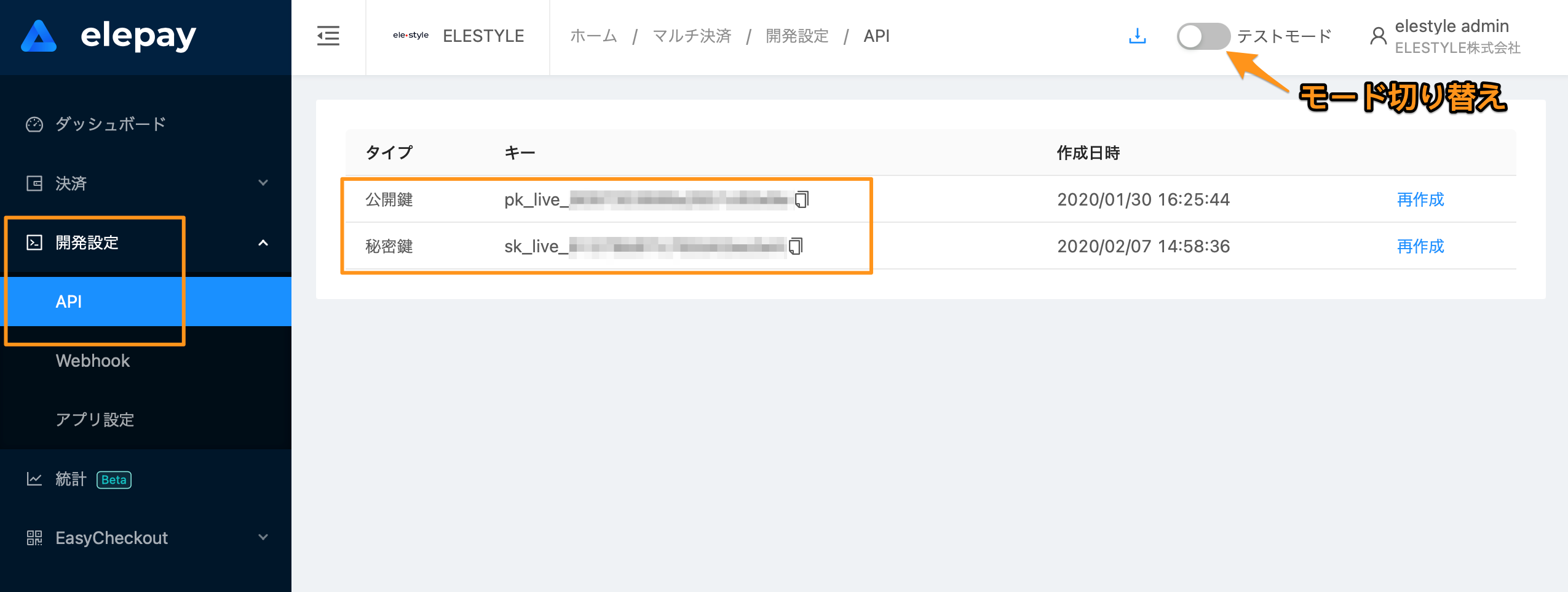
Test モードとLive モードの Key について、elepay 管理画面で管理されています。管理画面左側の「開発設定/ API」をクリックすれば、apiキーを確認できます。
最終更新日