 elepay
支払い処理
elepay の Charge 機能を利用して支払いプロセスを安全かつスムーズに進めることができます。利用者は、モバイルアプリかウェブページで支払いの際に数回クリックをするだけで、手間をかけずに素早く支払いを行うことができます。 elepay の Charge 機能は Client SDK を利用してください。Server SDK も開発者の利便性を上昇するために提供していますが、利用しなくでも RESTFul API を直接連携してご対応いただけます。
支払いの流れのイメージ
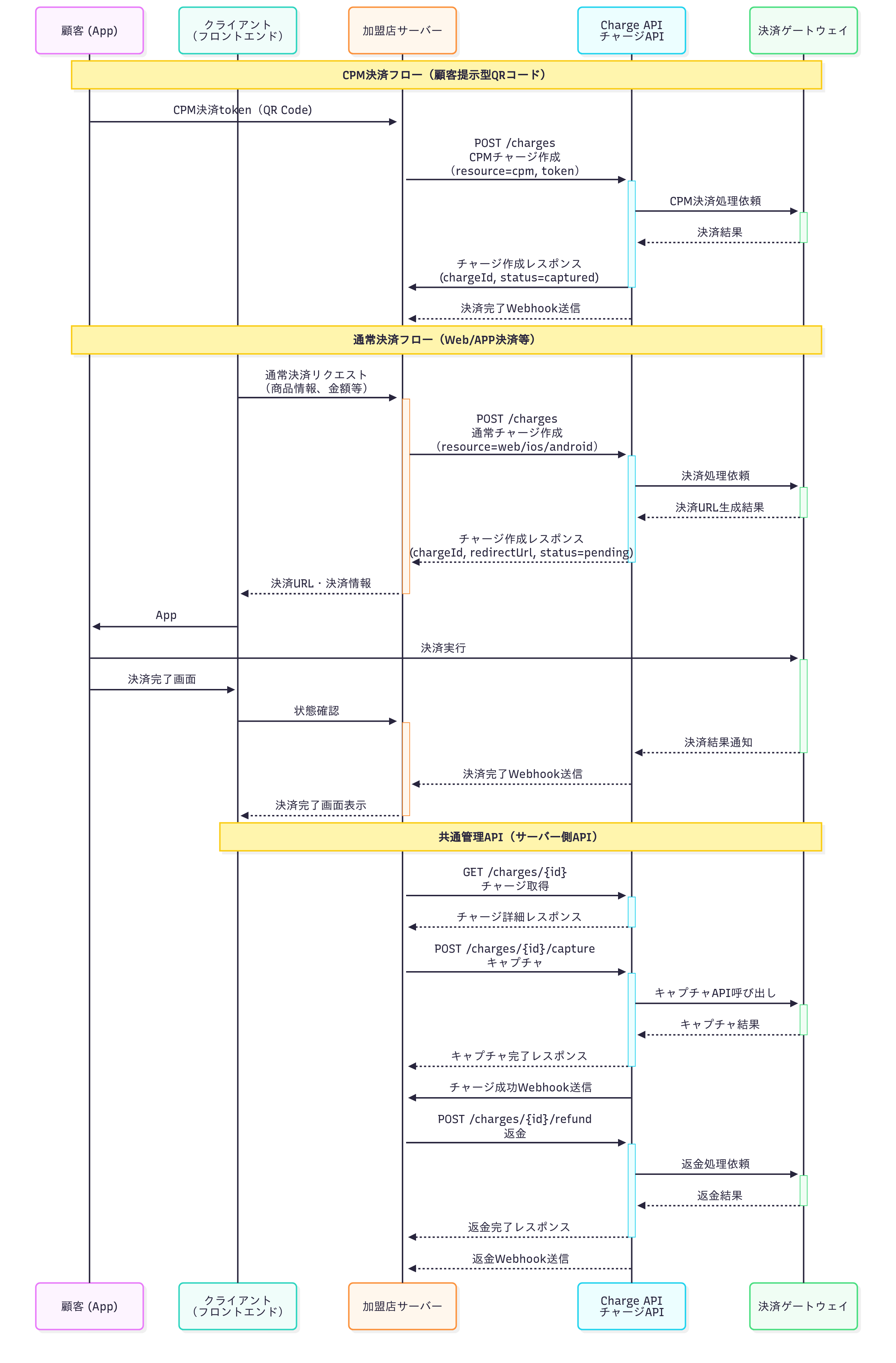
API を利用して支払い
1. モバイルでの注文
利用者はモバイルアプリかウェブで注文を行います。
2. 支払いリクエスト
お客様のサーバー側の処理が API の Charge作成 機能を呼び出し、支払いをリクエストします。
3. Charge オブジェクトの新規生成
elepay サーバーが支払いリクエストに対して Charge オブジェクトを新規生成し、サーバー側に返します。
4. Charge オブジェクト
お客様のサーバーから、Charge オブジェクトをクライアント側の Client SDK に渡します。
5. 支払い処理
クライアント側の Client SDK は、Charge オブジェクトを使って支払いを行います。
6. 支払い結果
支払い処理が終わると、指定された決済チャンネルサーバーから支払い結果を返します。
7. Webhook イベントの受信
支払いが成功の場合、elepay は Webhook に設定された URL に charge.captured イベントの通知を送信します。
8. 支払いステータスの取得と処理
お客様のサーバー側の支払い処理ロジックに、支払いステータスの取得処理を追加することをおすすめします。何らかの原因で Webhook イベント通知を受け取らなかった場合、APIの Chargeステータス取得 を使って支払いステータスを取得すれば、支払いの結果として処理することができます。
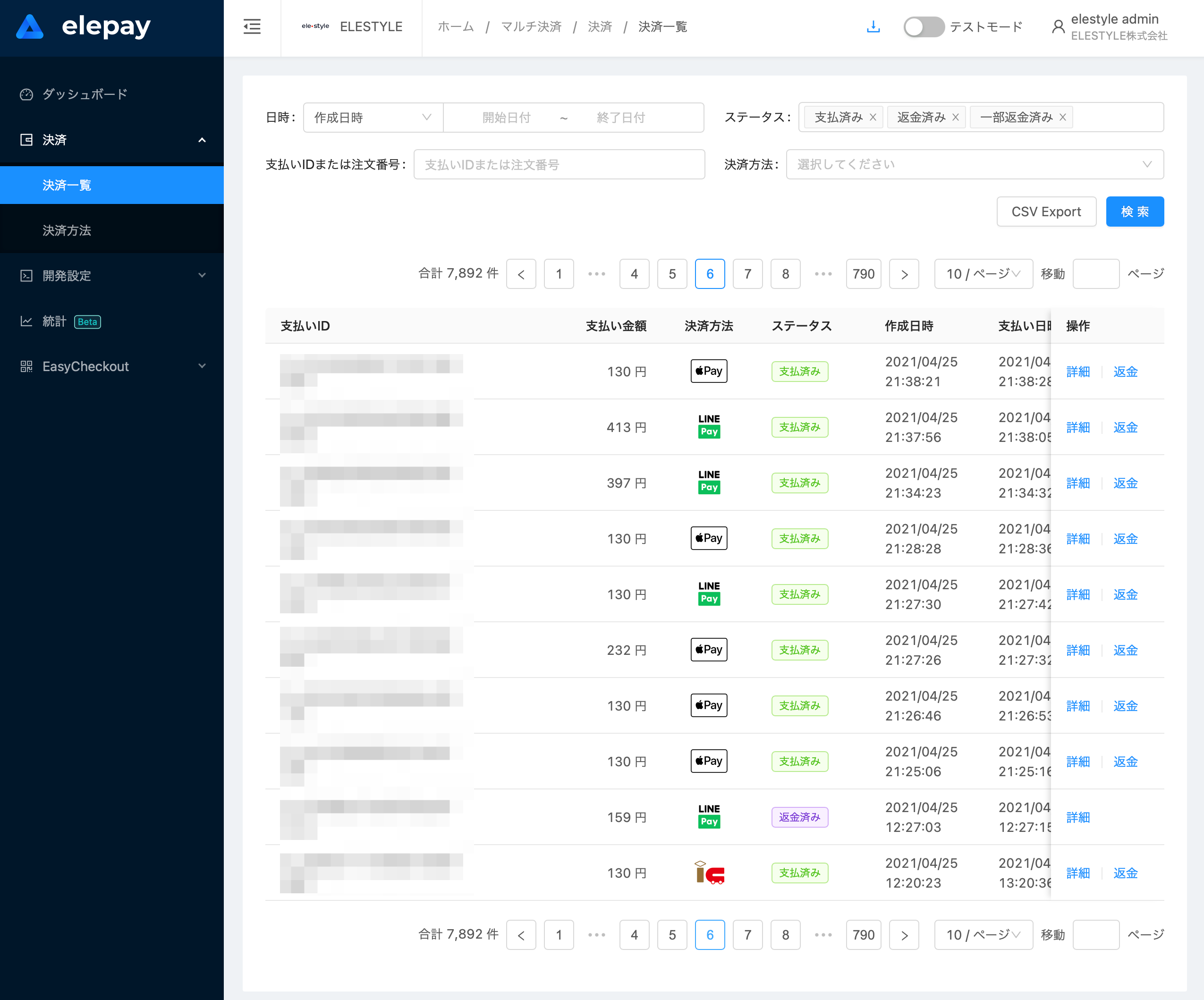
管理画面での確認
管理画面の「支払い管理 / 支払い一覧 」にて支払いレコードを確認することができます。返金については 返金処理 をご覧ください。
最終更新日