 elepay
FAQ for iOS
elepay iOS SDK を導入後、アプリのサイズはどのぐらい増えますか?
elepay iOS SDK は Bitcode をサポートしています。導入したいアプリが Bitcode に対応している場合は 15MB 程度増えます。Bitcode 未対応の場合は 50MB 程度増えます。
elepay iOS SDK は Apple Watch をサポートしていますか?
現時点では WatchKit や App Extensions などへの対応はしておりません。
elepay iOS SDK は App Clips をサポートしていますか?
elepay iOS SDK v2.3.4 からサポートできます。ただし、アプリ間遷移の必要な決済方法(例:PayPay、Merpay など)は対応していません。
また、App Clips のサイズ制限 (10MB) について、elepay iOS SDK の universal サイズが 2MB ですが、Stripe でクレジットカードや Apple Pay をご利用の場合は Stripe SDK も導入しなければなりません。Stripe SDK のサイズが大体 3MB です。App Clips のサイズオーバーにご注意ください。
Apple Pay で決済する際、Error Code 10100 "Unsupported payment method" エラーが発生する
考えられる問題点:
-
iOS デバイスのハードウェアが Apple Pay に対応していませんか、ペアレンタルコントロールで Apple Pay 機能を制限を掛けました。
-
ユーザーの「Apple Wallet」に利用できるクレジットカードが登録していません(Visa / Mastercard / American Express / JCB *)。 また、プラスチックのカードに上記ブランドが記載していても、「Apple Wallet」内のカード画像に上記ブランドが表示されていないと利用できません。 * JCB は別途加入審査を通した利用企業様のみ対応します
-
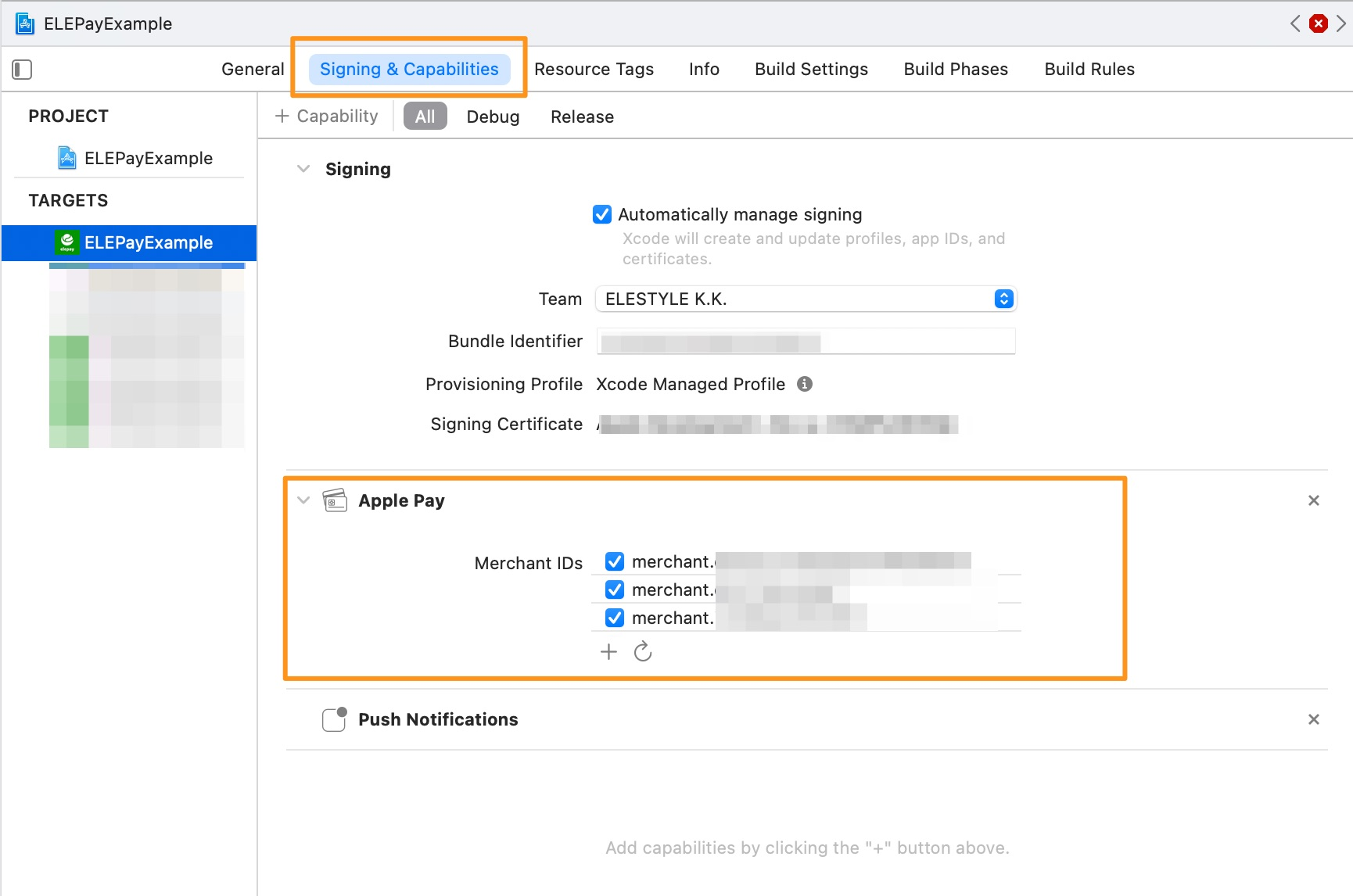
Xcode の設定に、Apple Pay が有効している事を確認の上、Apple Pay 証明書 を elepay 管理画面へアップロードしたことを確認してください。
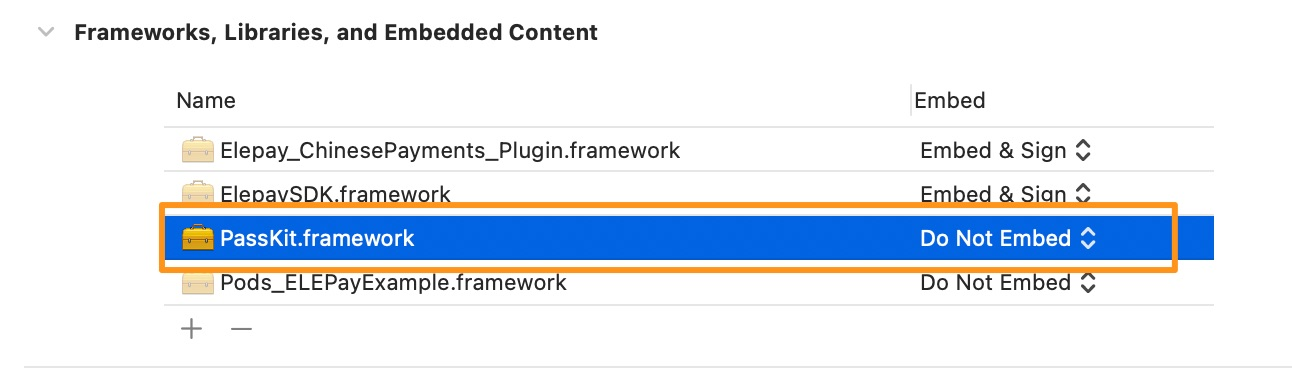
- Objective-C のプロジェクトで ElepaySDK for iOS を手動導入する場合、必要なシステム Frameworks を自動で導入出来ない事があるため、上記懸念点をクリアしでも問題が続く場合は、「PassKit.framework」を手動導入して再度試してください。
最終更新日