 elepay
AllValue
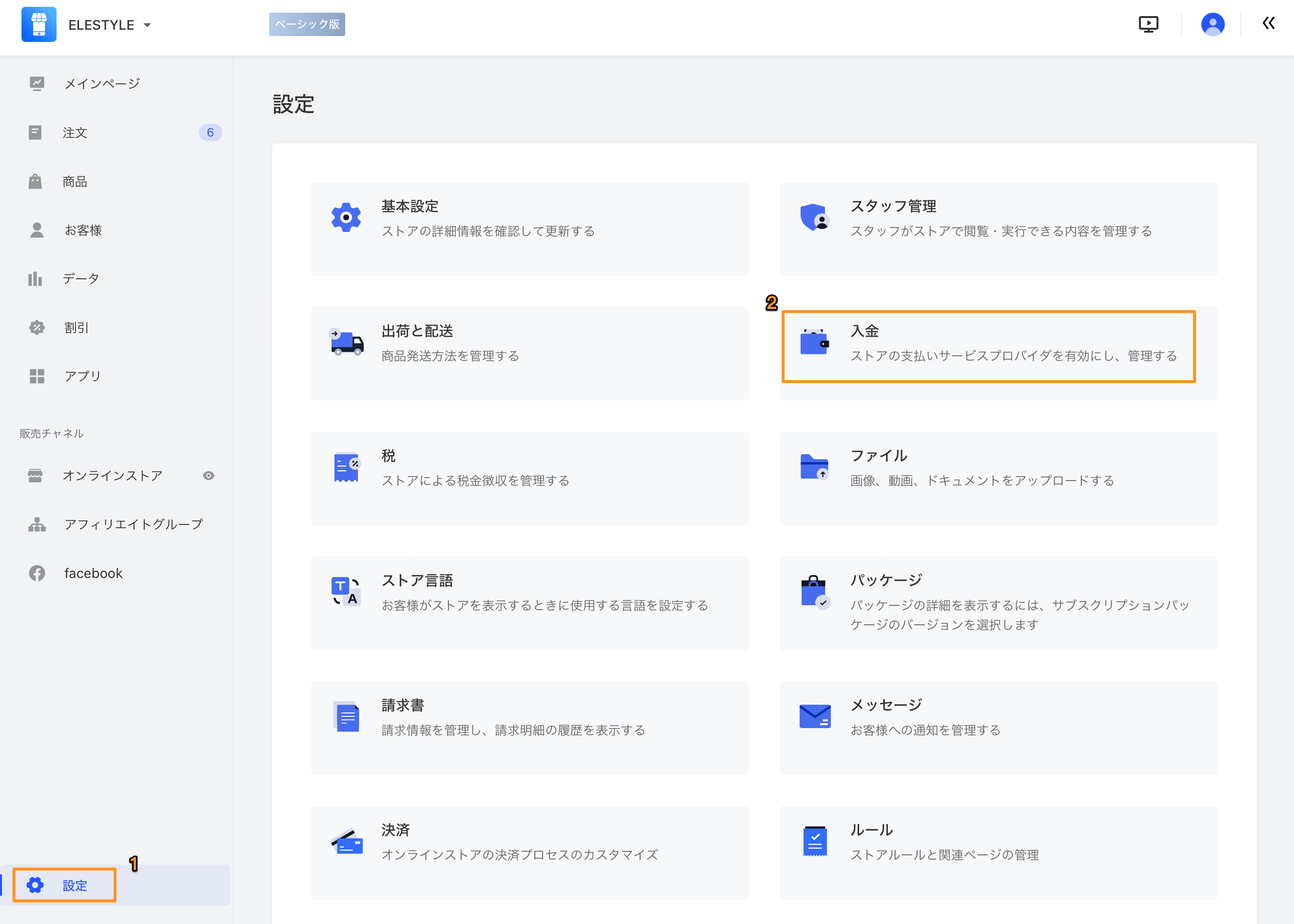
- AllValue の管理画面にログインして、「設定」→「入金」をクリックしてください。
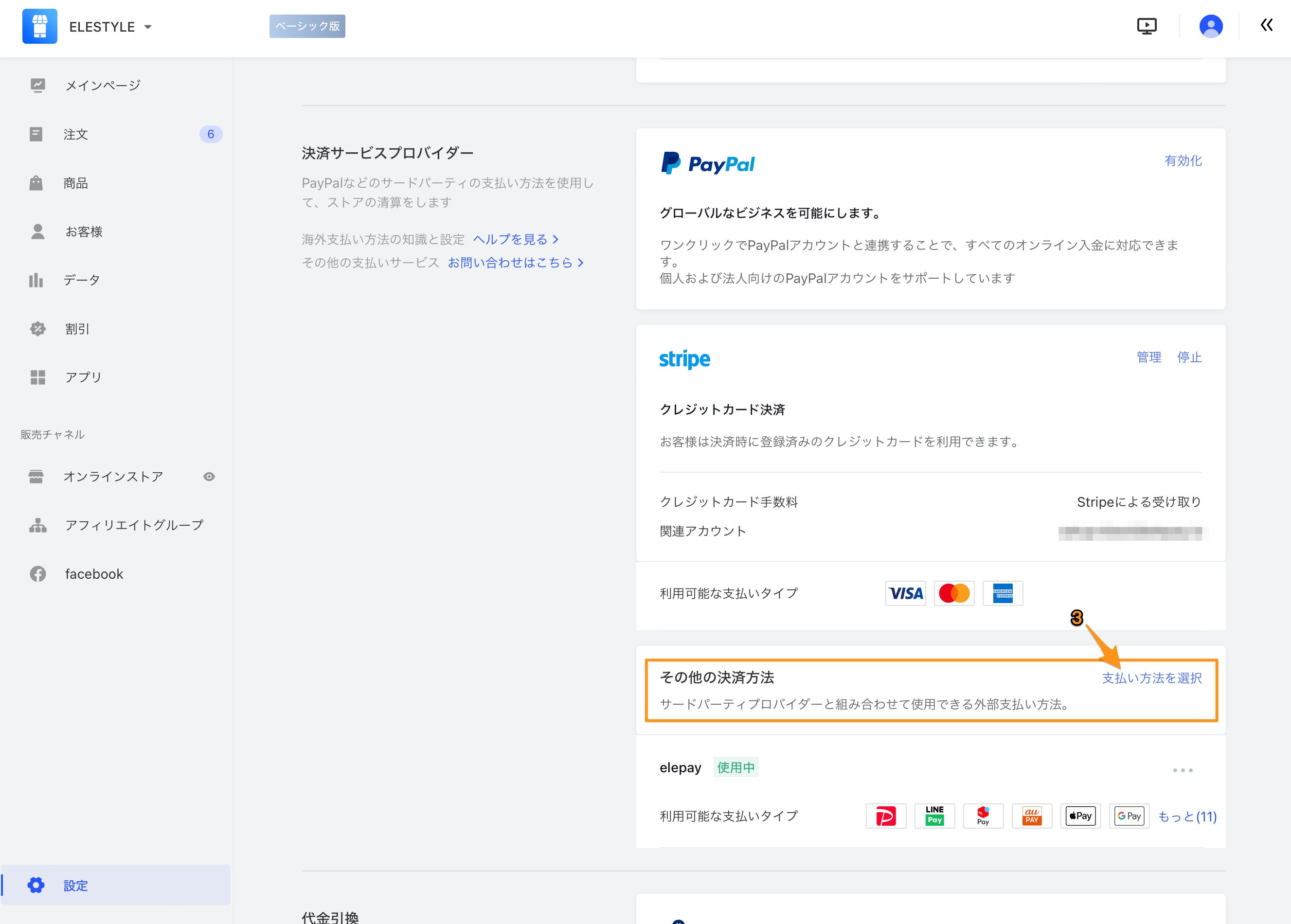
- 入金画面の「その他の決済方法」項目→「支払い方法を選択」リンクをクリックしてください。
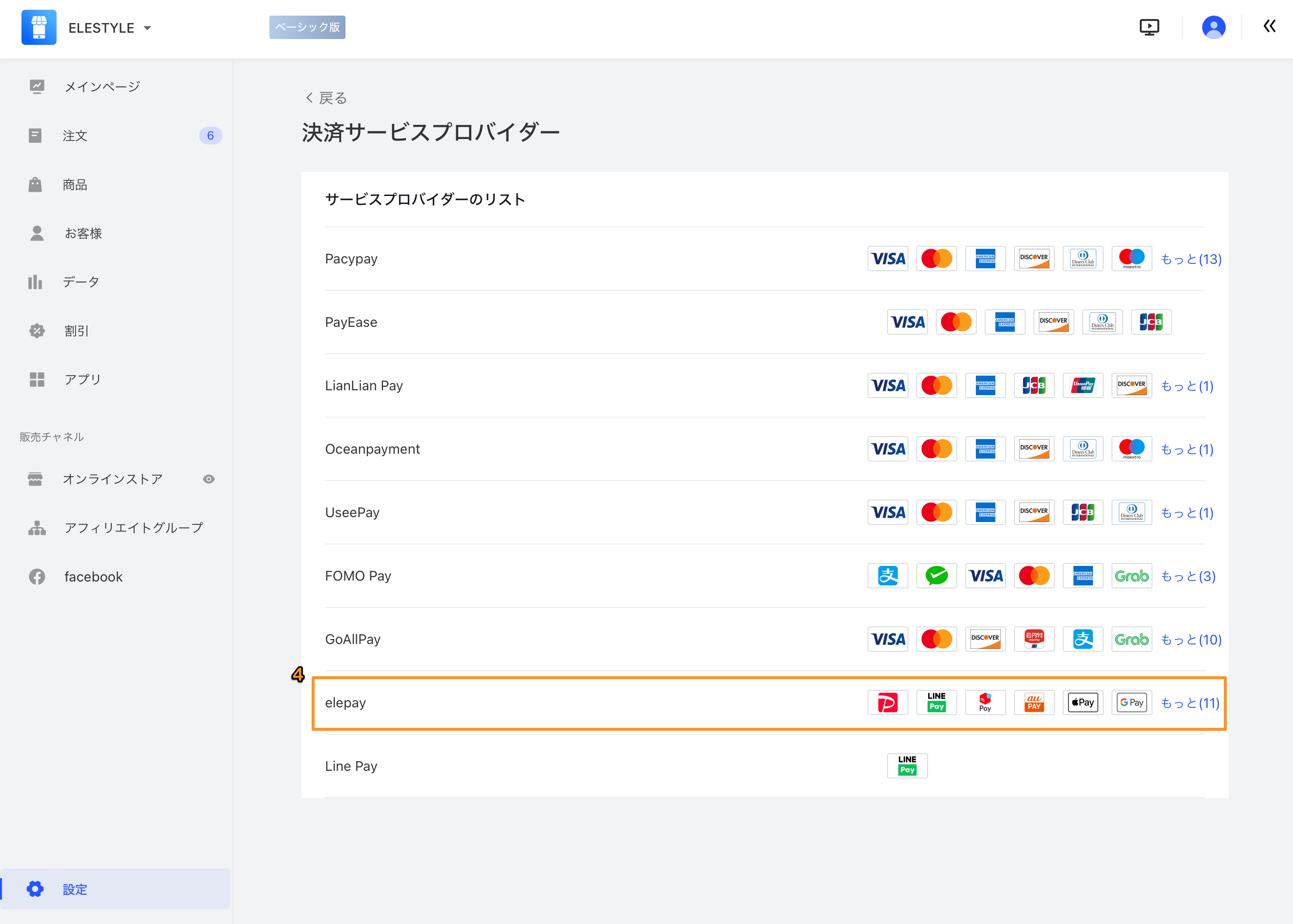
- 決済サービスプロバイダー一覧から、「elepay」をクリックしてください。
- elepay の設定画面に、App ID と Secret をご入力ください(設定値は elepay サポートデスクまでお問い合わせください)。
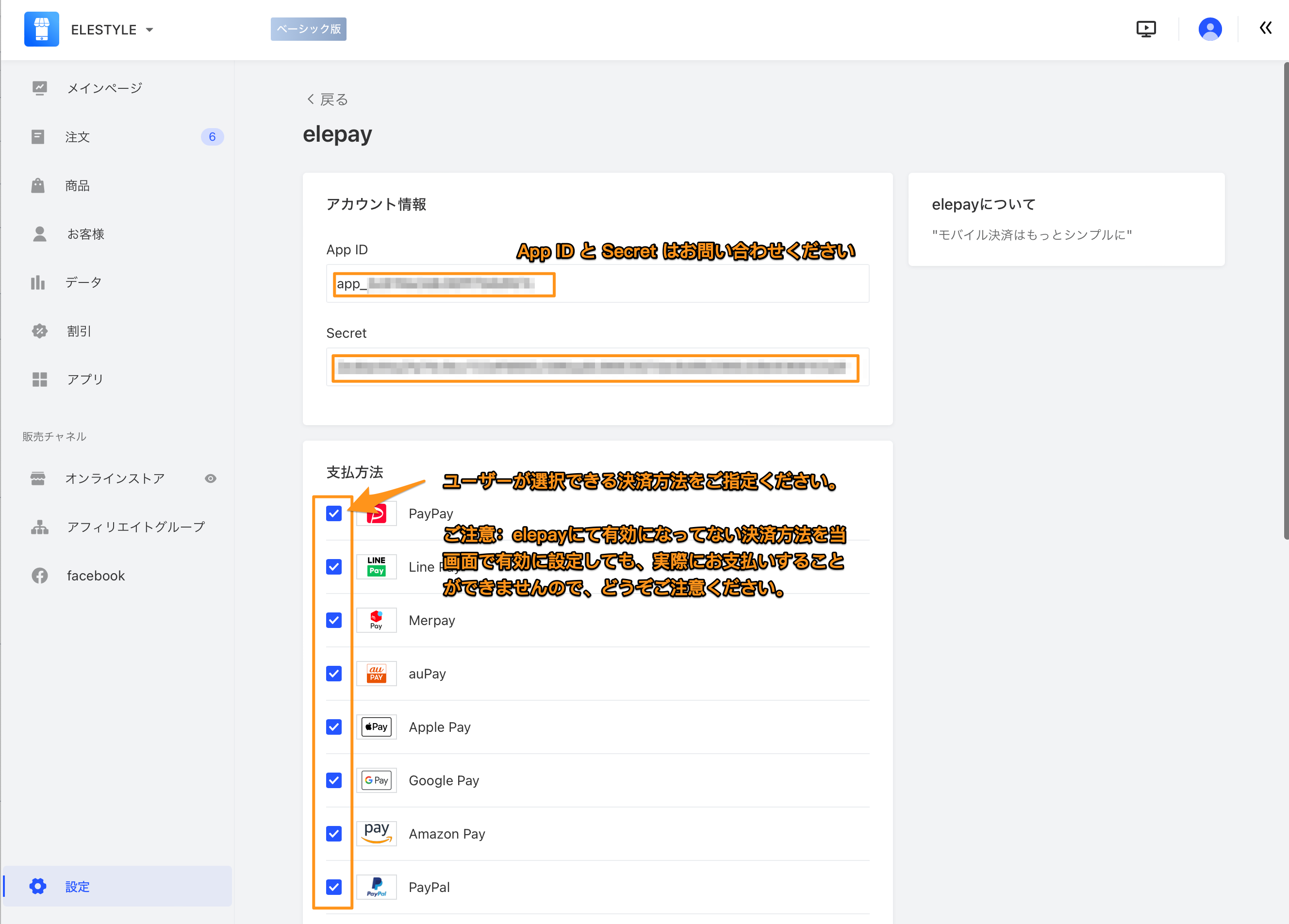
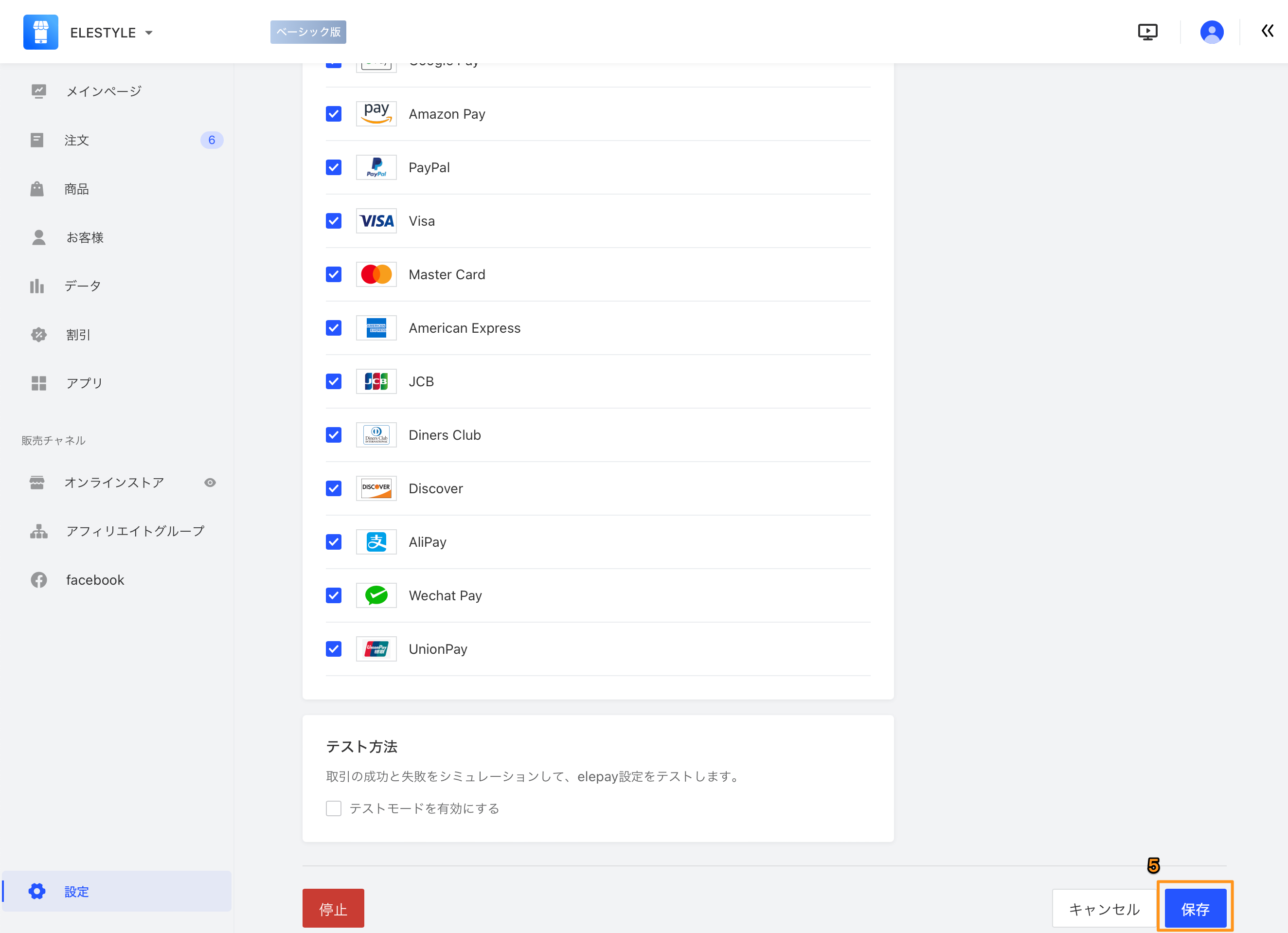
- ユーザーが選択できる決済方法を指定してください。指定が完了しましたら、「保存」ボタンをクリックしてください。
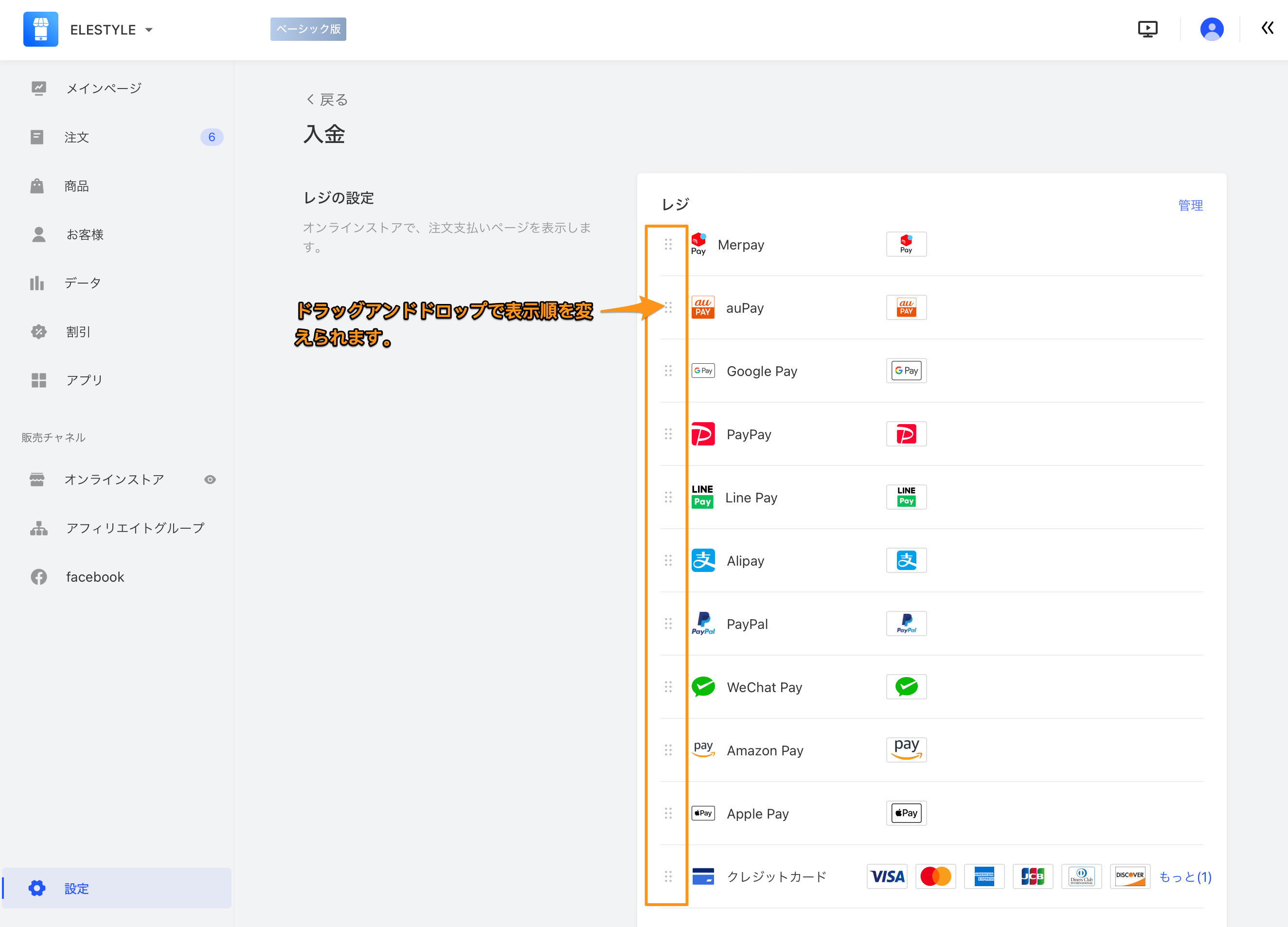
- 入金画面に戻りましたら、「レジの設定」にて決済方法の表示順を調整することができます。
最終更新日